This is the place where you can personalize your profile!
But, how?
By moving, adding and personalizing modules.
You can drag and and drop to rearrange.
You can edit modules to customize them.
The left side has modules you can add!
Some modules you can only access when you get a subscription.
Some modules have options that are only available when you get a subscription.
We've split the page into zones!
Certain modules can only be added to certain zones.
"Why," you ask? Because we want profile pages to have freedom of customization, but also to have some consistency. This way, when anyone visits a deviant, they know they can always find the art in the top left, and personal info in the top right.
Don't forget, restraints can bring out the creativity in you!
Now go forth and astound us all with your devious profiles!
Hay this is wierd, how did this happen. Seems like i have a 3 month subscription. Neat. I didn't receive any information about it, just noticed by user symbol had changed.
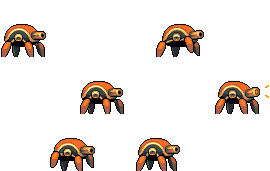
Hey man thanks. I use MSPaint and AnimationShop3, but i wouldn't say MSPaint is the greatest tool to be using (i'm just used to it). There is a massive selection out there, including Graphics Gale, Promotion and some people even use Photoshop (after a bit of fiddling with the settings or w/e).
I use AnimationShop3 for saving gifs, doing transparency, changing individual colours and obviously animation. But MSPaint (i use the XP version because i'm used to it) is my starting canvas. I also have a tablet, which helps to create a more natural approach getting your ideas on the screen.
If you're interested in getting into pixelling, there are two great communities online i would suggest you visit and join; PixelJoint [link] and Pixelation [link]
Thanks mate, im alil hungover right now so I dont feel like starting anything anywhere but ill pass that and then I think ill realy appreciate it so THANKS ALOT YOUR AWESOME!
I didn't say you're the best in the world, I said I would love to learn from you. Because you're really good. I'm guessing you pixelated your avatar. Which is already awesome.
Lol maybe in the summer. But you know me. I've never made a tutorial before, and it'd just go over the same points that are highlighted by members of Pixelation etc. Helm was making a brilliant and inspiring tutorial i remember, not sure how far he's gotten yet though, or whether he's still working on it. Check it out [link]
Maybe i won't go over the fundamentals, but rather showing how i do things. Won't be very academic, but might interest you.
--
~Larwick
--
Popsicle's are ~COOL~
I use AnimationShop3 for saving gifs, doing transparency, changing individual colours and obviously animation. But MSPaint (i use the XP version because i'm used to it) is my starting canvas. I also have a tablet, which helps to create a more natural approach getting your ideas on the screen.
If you're interested in getting into pixelling, there are two great communities online i would suggest you visit and join; PixelJoint [link] and Pixelation [link]
Hope that helps.
--
~Larwick
--
Popsicle's are ~COOL~
--
--
~Larwick
And I remember your Rust Bug, which was awesome.
Now stop being lazy, boy, and make a tutorial!
--
Maybe i won't go over the fundamentals, but rather showing how i do things. Won't be very academic, but might interest you.
It's a bit of a task to think about it though.
--
~Larwick
Anyway, that thread already taught me a couple things, and I loved his explanation! Hopefully he manages to finish the tutorial.
Let me know if you do make one!
--
--
~Larwick
No problem.
[link]
as a reference for a pencil drawing that might be then uploaded to deviantart, I will give you credit in the drawing also.
--
~Larwick
--
~Larwick
--
Pick a number, any number... You're wrong!
Previous Page12345...Next Page